

Keyboard shortcuts
Every keyboard shortcut in BosOn: getting around, picking, sorting, adding and making, full screen and the canvas.
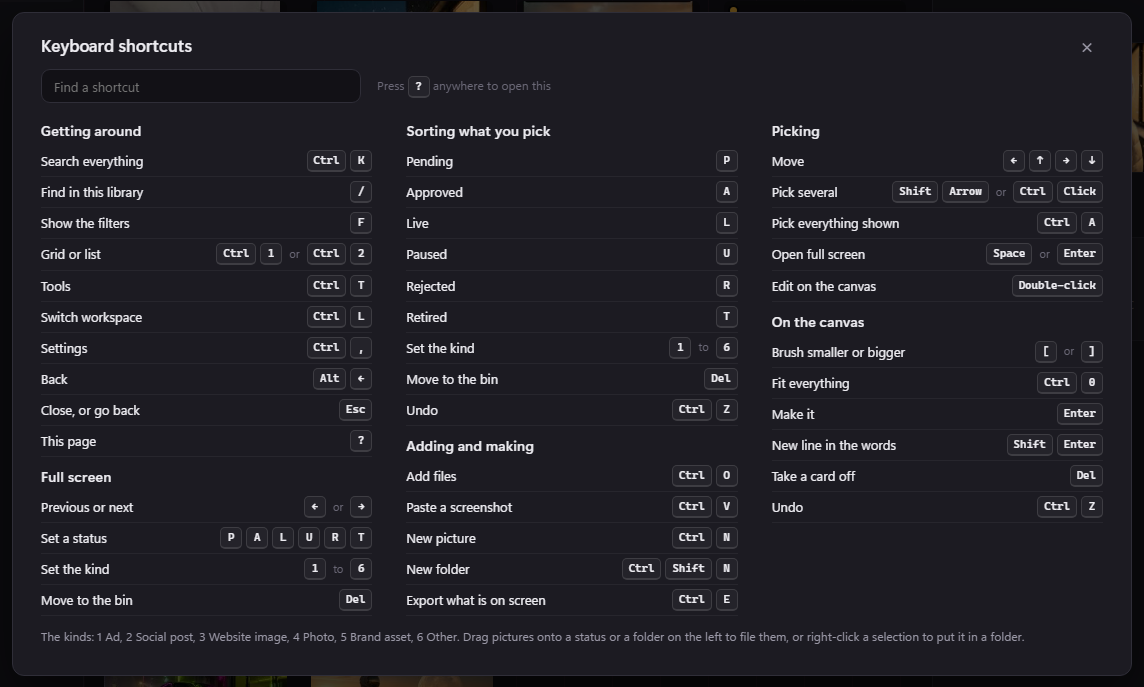
Press ? anywhere in BosOn to see every shortcut, or click your workspace's name at the top left, then Help, then Keyboard shortcuts. Type in Find a shortcut to narrow the list.
Getting around
| To | Press |
|---|---|
| Search everything | Ctrl+K |
| Find in this library | / |
| Show the filters | F |
| Grid or list | Ctrl+1 or Ctrl+2 |
| Tools | Ctrl+T |
| Switch workspace | Ctrl+L |
| Settings | Ctrl+, |
| Back | Alt+Left arrow |
| Close, or go back | Esc |
| The shortcuts page | ? |
Picking
| To | Press |
|---|---|
| Move | The arrow keys |
| Pick several | Shift+arrow, or Ctrl+click |
| Pick everything shown | Ctrl+A |
| Open full screen | Space or Enter |
| Edit on the canvas | Double-click |
Sorting what you pick
| To | Press |
|---|---|
| Pending | P |
| Approved | A |
| Live | L |
| Paused | U |
| Rejected | R |
| Retired | T |
| Set the kind | 1 to 6 |
| Move to the bin | Del |
| Undo | Ctrl+Z |
The kinds are 1 Ad, 2 Social post, 3 Website image, 4 Photo, 5 Brand asset and 6 Other. You can also drag pictures onto a status or a folder on the left to file them, or right-click a selection to put it in a folder.
Adding and making
| To | Press |
|---|---|
| Add files | Ctrl+O |
| Paste a screenshot | Ctrl+V |
| New picture | Ctrl+N |
| New folder | Ctrl+Shift+N |
| Export what is on screen | Ctrl+E |
Full screen
| To | Press |
|---|---|
| Previous or next | Left or Right arrow |
| Set a status | P, A, L, U, R or T |
| Set the kind | 1 to 6 |
| Move to the bin | Del |
On the canvas
| To | Press |
|---|---|
| Brush smaller or bigger | [ or ] |
| Fit everything | Ctrl+0 |
| Make it | Enter |
| New line in the words | Shift+Enter |
| Take a card off | Del |
| Undo | Ctrl+Z |
Was this page helpful?