Ad Studio (coming)
Coming to BosOn: a brand kit read from your website, then ads made from it in three sizes, and video ads made like the ones you find.
Coming. Ad Studio isn't available to everyone yet. It won't appear on Create until it's switched on for your account, and what it shows may change before then.
Ad Studio makes static ads from your brand. It starts from a brand kit read from your website, then writes the ads, makes their pictures and keeps each ad in the three sizes the main social feeds use.
A brand kit from your website
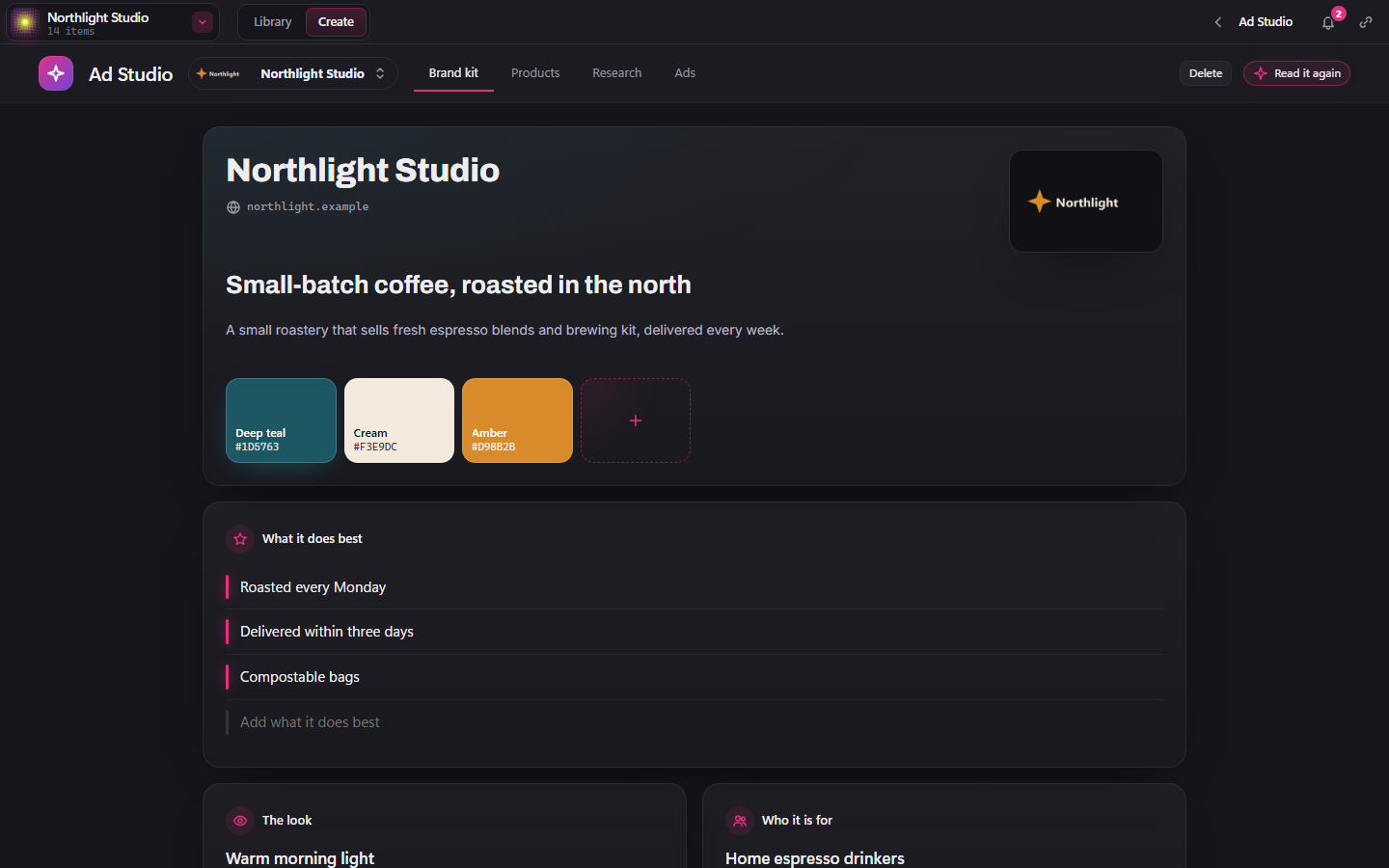
Click New brand kit and type your website. BosOn reads its logo, colours, fonts, promise and what it sells. Change anything, then Save the kit. Read it again reads the site afresh. You can keep several kits, one for each brand.
In the next desktop build, Say it as, under the brand's name, sets how the name is said, such as Boss-on. The voice in your video ads says it that way. Your script and the words on screen keep the name as you write it.
Products, then ads
- Products: paste a product page's link or type its name, then give each product its screenshots or photos. A screenshot goes on the screen in the ad's picture; a photo shows the product as it is.
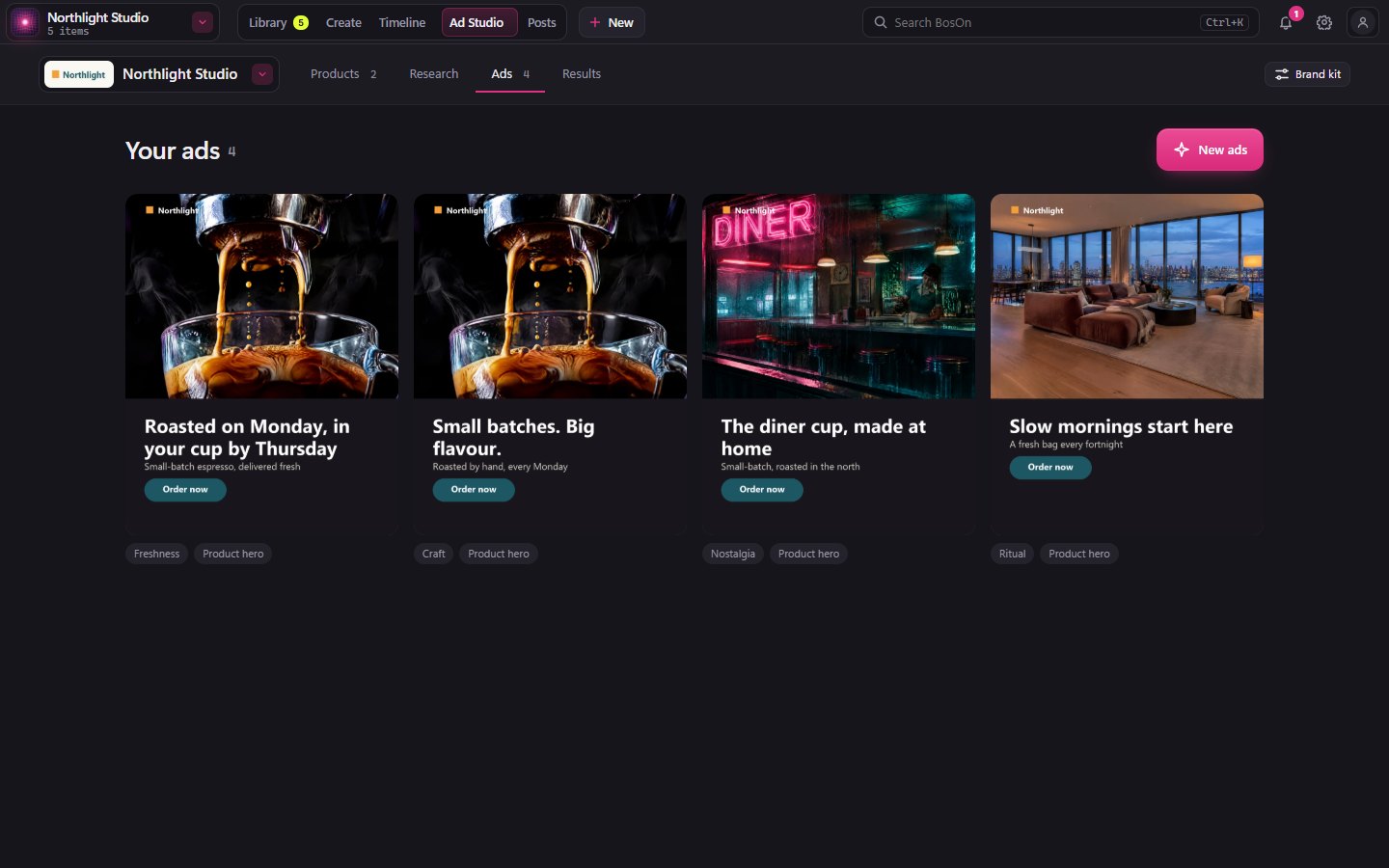
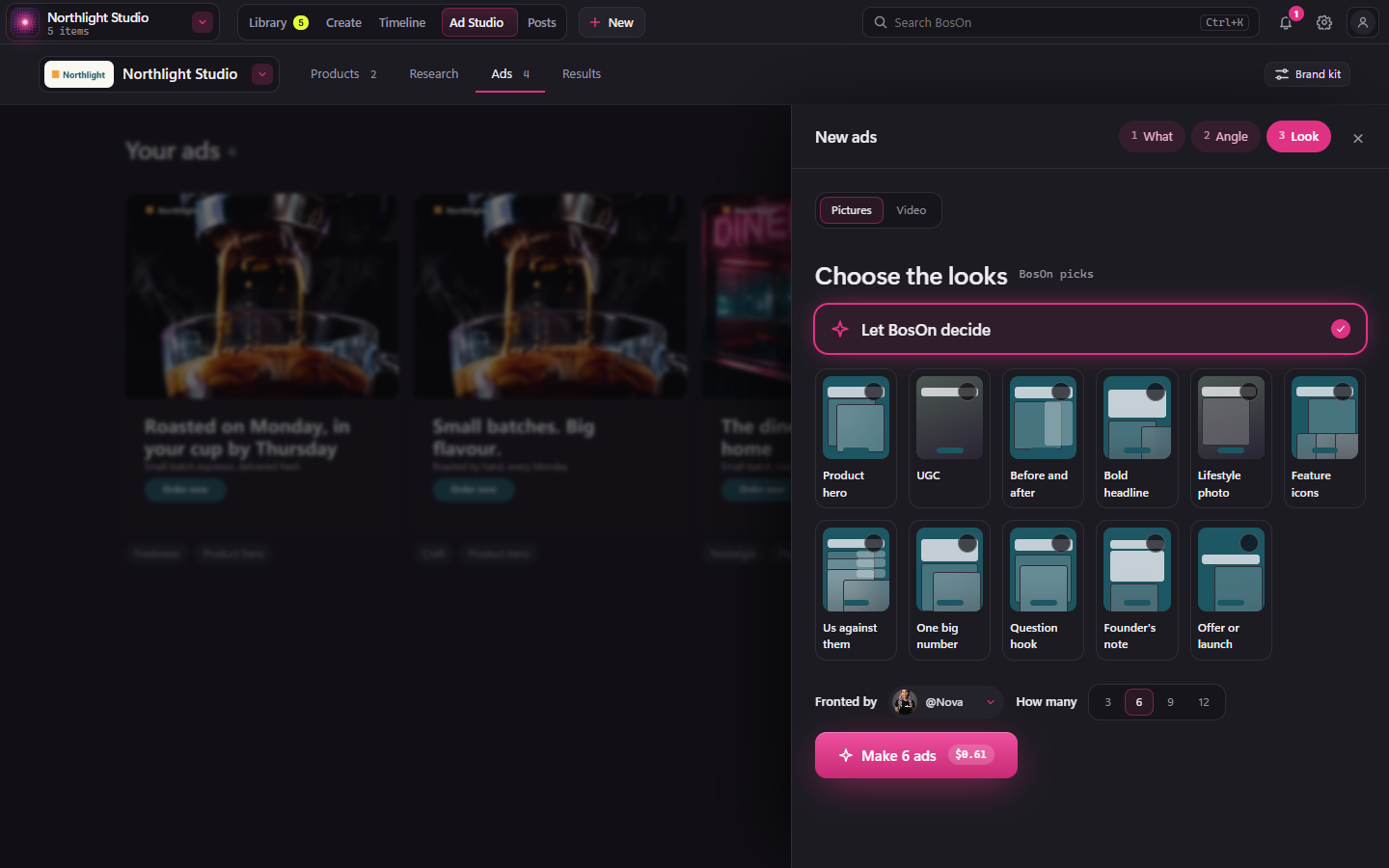
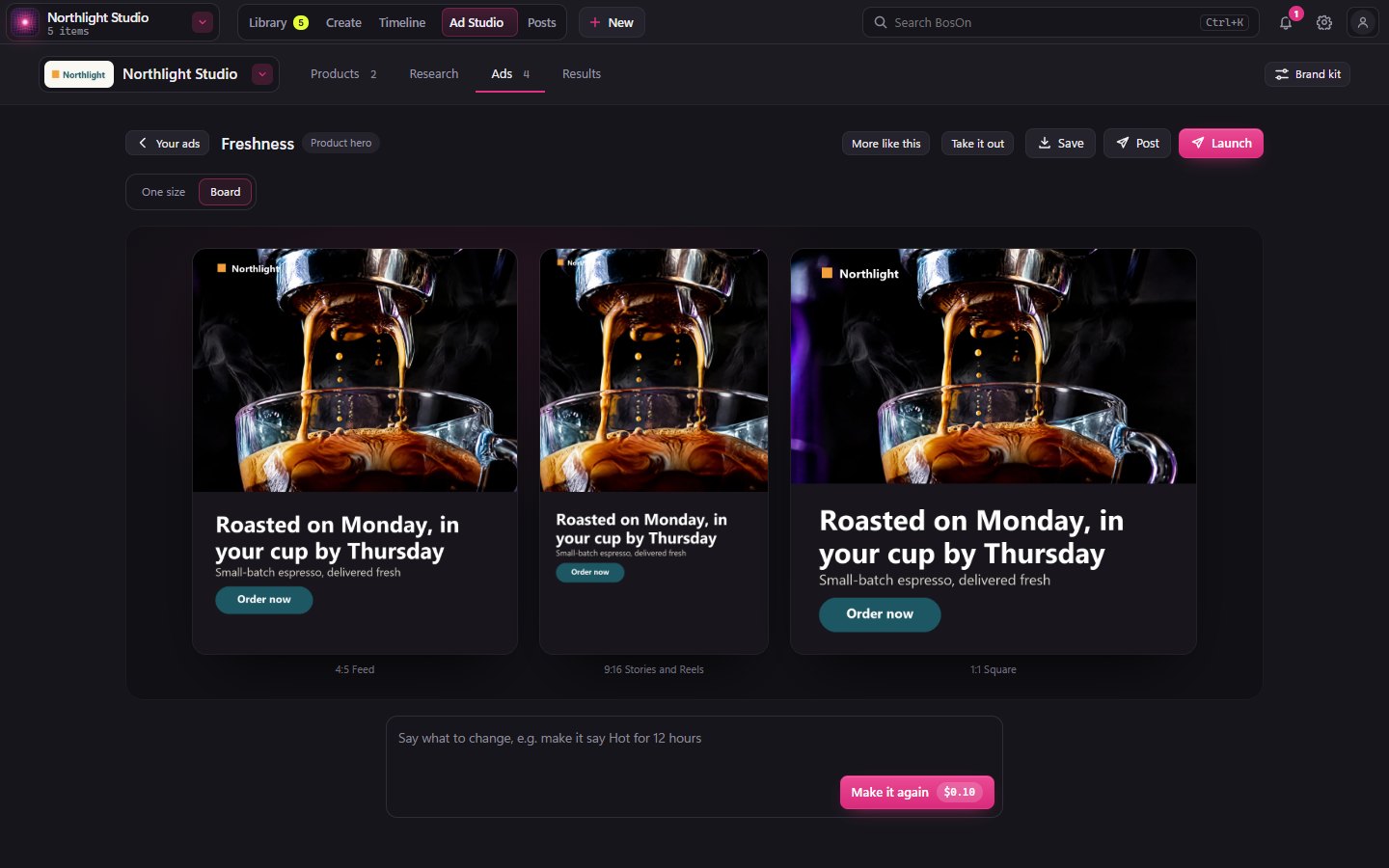
- Ads: from the next desktop build, your ads fill the page, with New ads at the top right. Click it and the steps (What, Angle, Look) open in a panel on the right; the price shows inside the make button, such as Make 6 ads $0.61. Close the panel with ✕ or Esc. Choose a product, then its angles: Write 6 more never repeats the angles you already have. In the next desktop build, an angle you don't want has a thumbs down on its card: it goes at once (Undo brings it back), and new angles stay away from ones like it. Then choose the looks, Fronted by (one of your characters) and How many. Open an ad to see it in each size, or all at once on Board, and type what to change for Make it again. More like this makes three more like it. Take it out takes it out of Ad Studio. Save puts its 4:5, 9:16 and 1:1 sizes in your library's New section. Post and Launch save it first, then open the library's own Post and Launch.
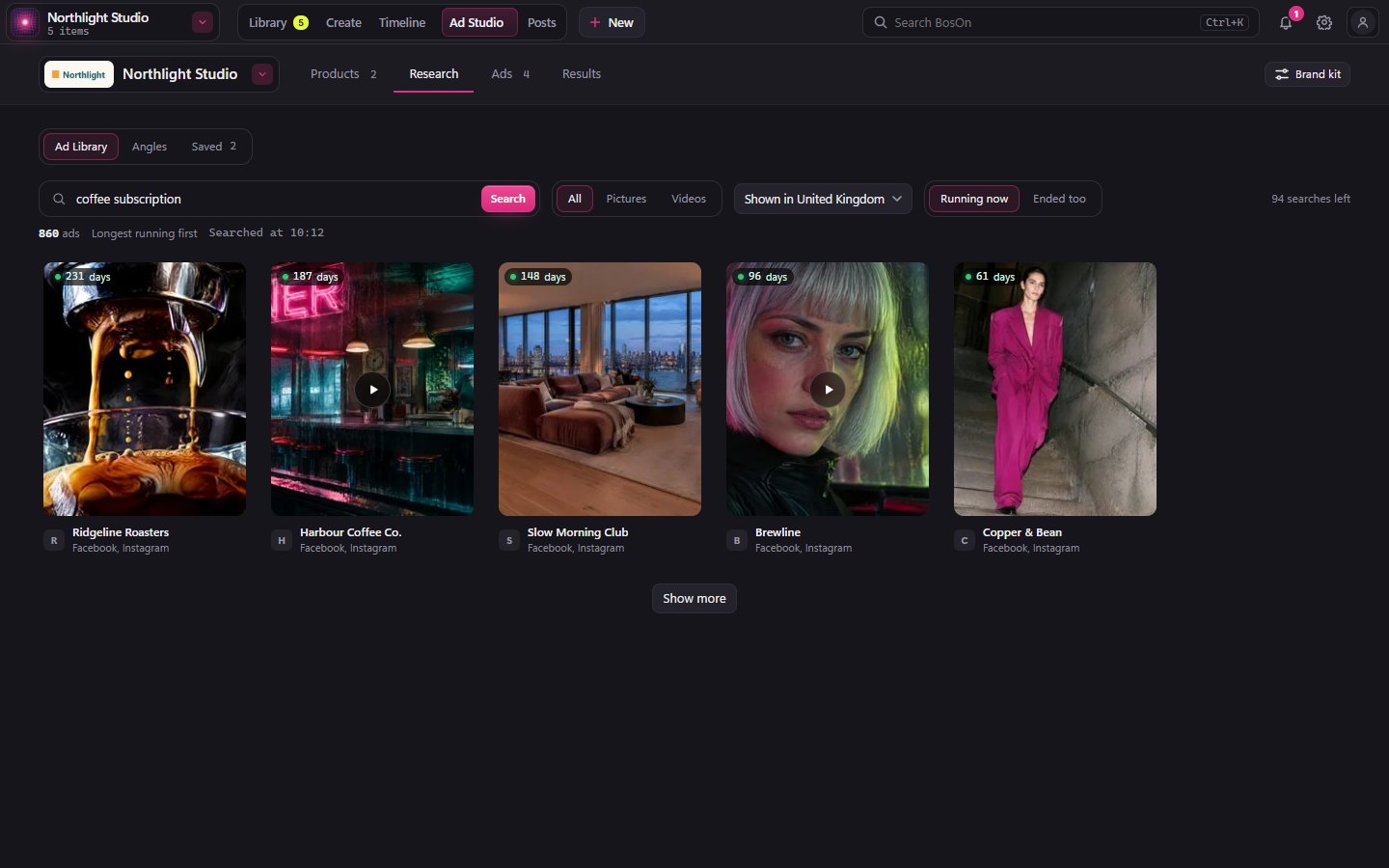
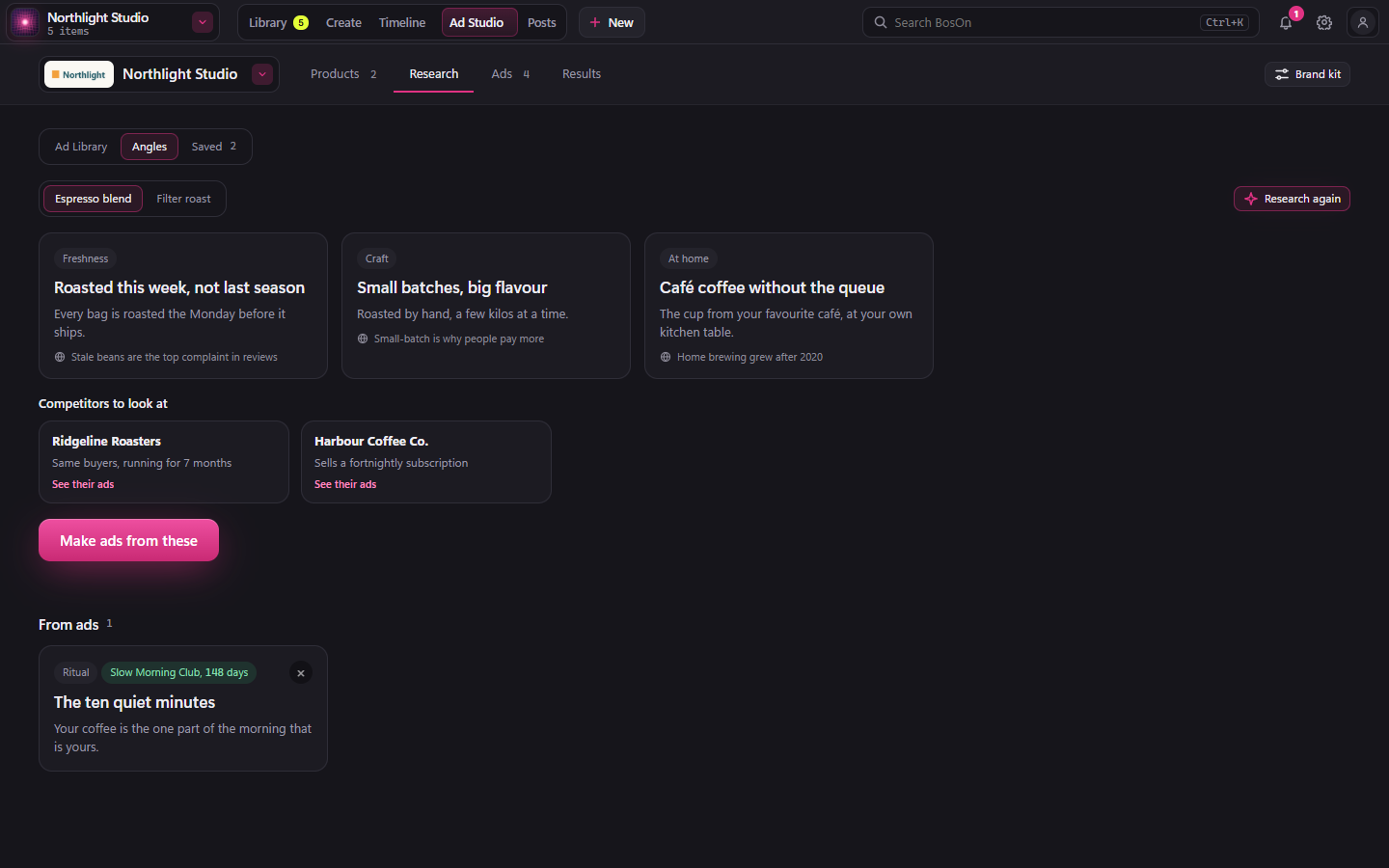
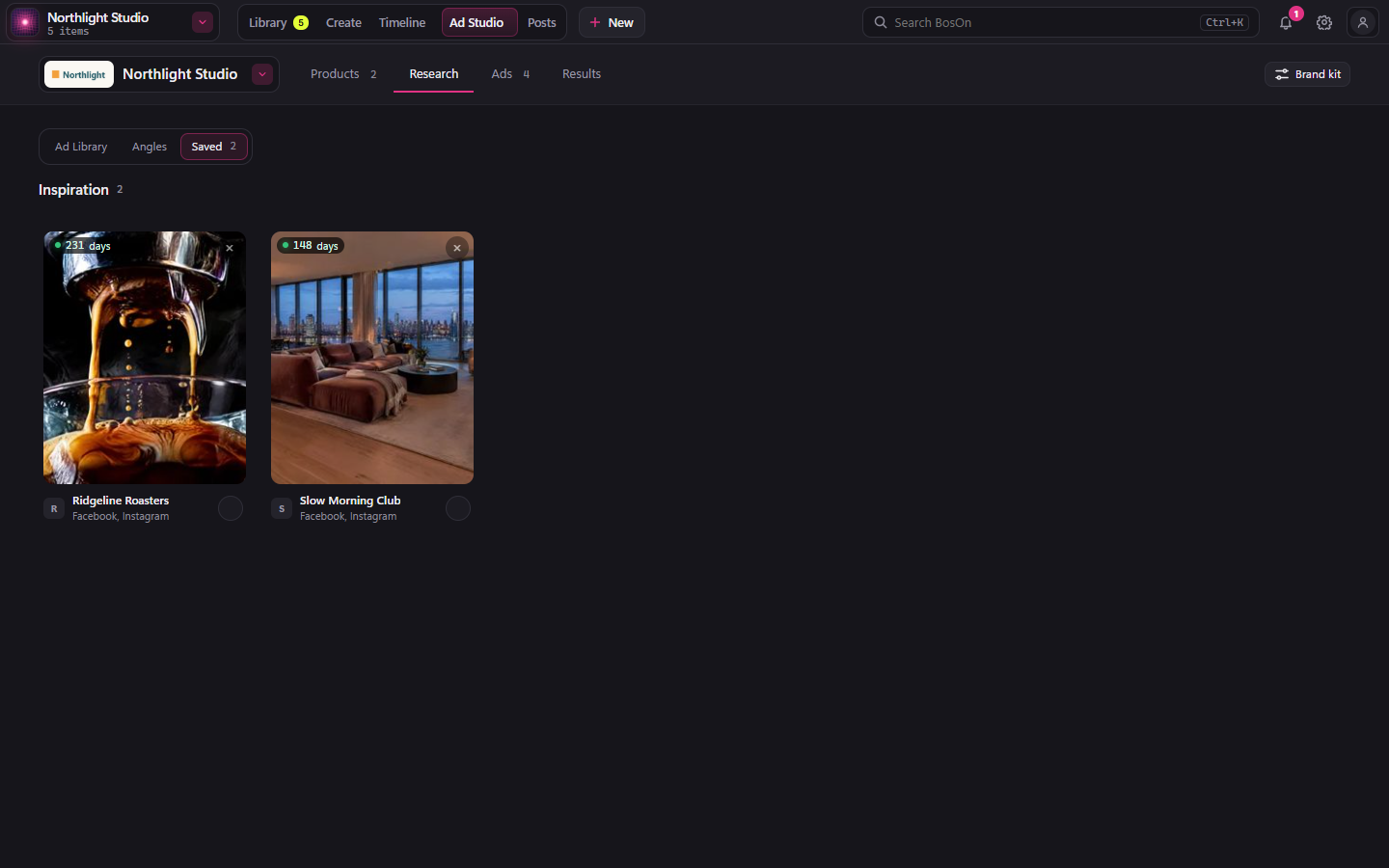
- Research has three tabs from the next desktop build. Ad Library searches the ads running on Facebook and Instagram, then Make one like this makes your own from one of theirs; it uses your own ScrapeCreators API key. Angles holds the angles researched for each product, the competitors to look at (See their ads) and the angles you took from other ads, with Make ads from these. Saved holds the ads you saved.
- Results: once Meta is connected, it opens Results in the top bar, at Ads on Meta, where each ad's spend and results are.
Make one like this from a video ad (coming in the next desktop build)
Open a video ad in Research and click Make one like this. Their video plays on the left, yours on the right. Yours keeps their format: where the person stands, what is behind them, how it cuts. Their words, music, product and people never go into yours.
Choose how
As long as theirs (a copy) follows their moves shot for shot, as long as their video. A shorter one (inspired by it) makes a fresh one of 15 or 30 seconds.
Pick an angle
BosOn watches their video shot by shot and offers three angles, each with a line on the idea. Pick one. Other angles offers three more.
Choose the size
9:16, 4:5 or 1:1. Your video is made in this size; the others are cropped from it later, for free.
Make the draft
Make the draft writes the script and makes a quick, small draft. Its price is in the button. Watch it. Write it again gives a new script for free; type what to change and click Make it again for a new take.
Go ahead in 1080p
When you like a draft, click Go ahead in 1080p. Only that take is made full size, at the price in the button. Nothing goes to full size on its own.
Use it
The 1080p video is the finished one. Crop it for the other sizes (free), then Save to library, Post or Launch ad. To change it, go back to a draft.
You can leave the page while it makes; it carries on. If you close BosOn, anything already sent is fetched when you open Ad Studio again, and never paid for twice.
To open a kept ad's source again, or fix one that can't be kept, see Find or repair a finished ad.