Find or repair a finished ad
Open a finished ad's editable source in Ad Studio, and what to do when an ad cannot be kept.
Coming soon. Ad Studio isn't available to everyone yet: see Ad Studio.
Find a finished ad
In Ad Studio, Keep all three puts the finished sizes in your library as ads. It does not launch them. From the next desktop build, they arrive with no state: choose Ready to launch beside the stars when one is ready. Before it, they arrived in New, ready for review.
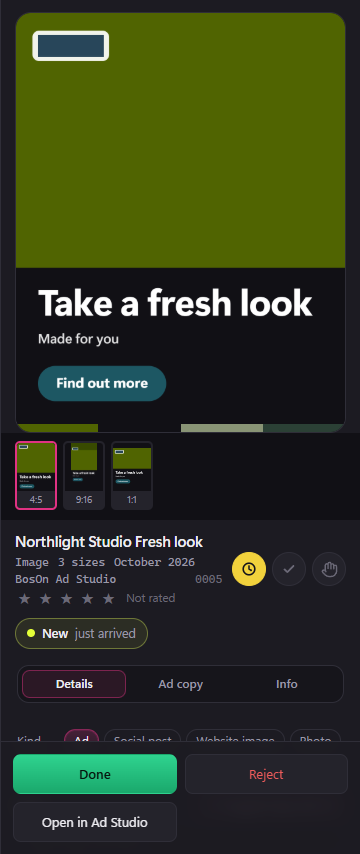
Select a finished size in the library, then click Open in Ad Studio at the bottom of the right-hand panel. It opens the matching ad and brand kit.
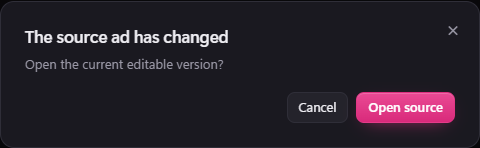
If the source has changed since you kept the picture, BosOn asks before opening its current version. The saved picture stays as it is.
The button is available for ads kept with this version onwards. Older exports remain in your library, but do not gain a source link automatically. If the source ad or brand kit has been deleted, BosOn tells you; your finished picture remains in the library.
When an ad cannot be kept
If its chosen picture or brand logo is missing or cannot load, Open in Ad Studio still opens the source so you can repair it. Restore the picture or choose another before trying Keep all three again. BosOn stops instead of filing a picture with that part missing.
A missing saved logo is labelled Logo missing in the brand kit. You can still edit and save the kit's name, colours and words. Before keeping an ad, restore that logo or, if another is available, click the logo box, choose its replacement and save the kit. BosOn keeps the missing logo reference until you replace it; it does not silently choose a different logo.
If filing stops after some sizes were kept, the message tells you how many reached the library. Those sizes remain available; review the source before trying again.