

Sending us a report
Tell us what went wrong from inside BosOn, with the details we need to fix it and none of your keys or passwords.
If something doesn't work as it should, the quickest way to tell us is from inside BosOn.
Send a report
Click your workspace's name at the top left, then Help, then Send a report….
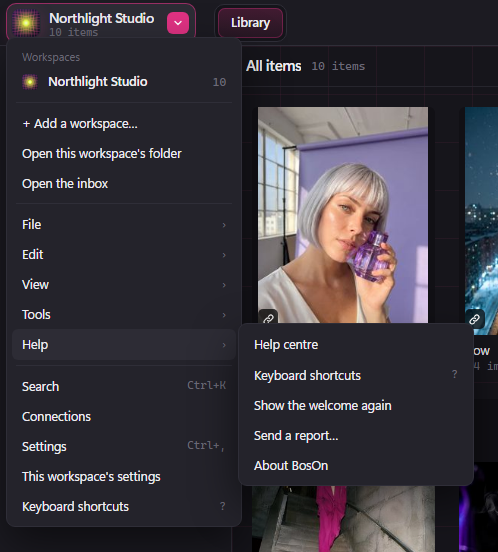
Under What happened?, say what you were doing and what went wrong. Add your email if you'd like a reply, then click Send report.
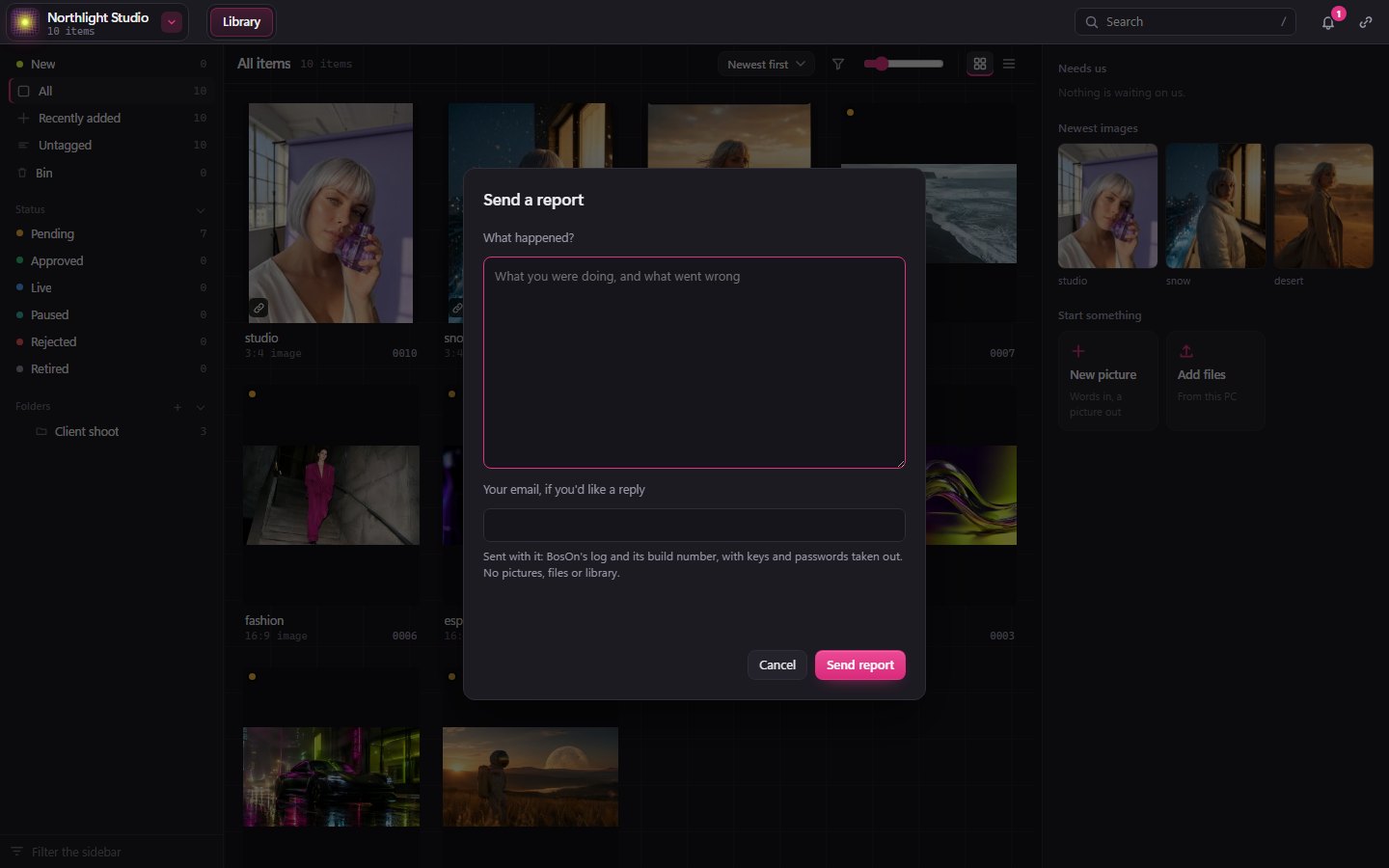
The report includes BosOn's own log and its build number, which is usually what we need to find the problem. Keys and passwords are taken out before it's sent, and no pictures, files or library go with it.
Read the help centre from BosOn
Help centre, at the top of the same Help menu, opens these pages in your browser.
Or email us
You can always email hello@getboson.app. If you can, say which version of BosOn you're on: it's in the same Help menu, under About BosOn.